

Rujukan Laman

bila2win app for Android and iOS

The bila2win app puts live tables, slot rooms and your account controls on your phone, with quick sign-in and alerts for activity you choose to follow.

AndroidiOSAPK 30MBPush alerts
bila2win bila2win app for Android and iOS
bila2win Aviator and live tables in your pocket

Aviator and live tables in your pocket

Our mobile app keeps your chosen slot rooms, live tables and betslip close while you move between Wi-Fi and mobile data. Push notifications can flag account activity or selected table events without keeping the lobby open. Quick deposit access reduces repeated wallet steps, while fingerprint login lets you return without typing your password each time. From Football Studio to Aviator, the app

remembers your recent areas so your next session starts where you left off.

  • Personal lobby — Your recent rooms and saved favourites appear near the front of the app, so you spend less time searching before opening Immersive Roulette, Buffalo Megaways or another familiar title.
  • Betslip on the move — Build and check your betslip from the phone view, then review the selected details before sending it. The layout stays compact when you are moving between pages or using a smaller screen.
  • Quick wallet access — The wallet shortcut takes you directly to available account actions. Touch 'n Go, GrabPay, Boost dan FPX can be shown in the supported Malaysia flow, with status displayed after each request.
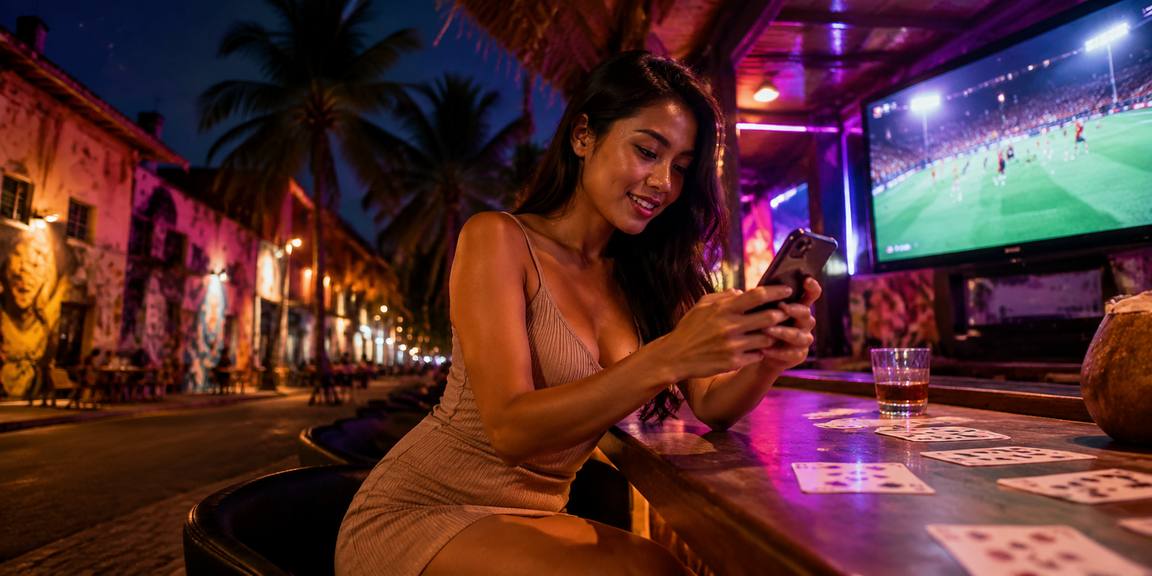
PHONE FEATURES

Built around your daily app routine

The app is arranged for repeated phone sessions rather than a reduced desktop page.

Fast sign-in After your first secure login, the app keeps the return…
Biometric entry Fingerprint or face recognition can be enabled on compatible Android…
Dark mode Choose a darker interface for evening sessions, with room names…
Push control Choose whether selected account events, security prompts or saved-room activity…
Offline lobby preview Previously loaded categories can remain visible during a short connection…
Compact betslip The mobile betslip keeps selections together above the navigation bar…
bila2win Install in three clear steps

Install in three clear steps

Start from the download route shown on bila2win and select the file or store option that matches your phone. Android installation may ask for permission to use an APK from the approved source, while iOS follows its device installation prompts. Once the app opens, sign in, check your notification choice and confirm that your account details are correct.

  • Download APK — Use the bila2win app download route on your Android phone and wait for the file to finish. Check that the file name matches the displayed app before opening it.
  • Allow the install — If Android requests permission for an APK source, open the relevant device setting, allow the installation, then return to the file. Disable that permission again after the app is installed.
  • Open and sign in — Launch the app, enter your existing bila2win account details and complete any security prompt. Enable fingerprint access or push alerts only after checking the phone permissions.
DEVICE CHECK

Phone requirements for the app

A current phone system helps the app receive security fixes, render live rooms correctly and handle account prompts without interruption.

01

Android version

Android 9 or newer is recommended for the current bila2win app build, with Google Play Services available where the device requires them.

02

iOS version

iOS fifteen or newer is recommended for the iPhone flow, including current notification and biometric controls supported by the device.

03

Memory

At least 3 GB RAM gives the lobby enough room for navigation, account prompts and live room elements when other phone apps are open.

04

Storage

Keep at least 150 MB free for the initial app and temporary update files. Extra space may be needed for device caching.

05

Supported regions

Malaysia access is available where local law permits. Your account location and device connection may affect which app content is shown.

SCREEN TOUR

Move through bila2win by phone

The first screen brings your account entry and lobby categories together, so you can move from a saved room to the wallet without hunting through menus.

Live lobby preview
Quick betslip
Account access
Slot favourites
Security prompts
Support chat
bila2win mobile gaming
Google Play App Store
APP HELP DESK

Help when your app needs attention

When an installation pauses, a notification does not arrive or a sign-in prompt looks unfamiliar, use the support route inside the app before repeating the action.

App support chat Open the in-app chat for installation, sign-in, notification and lobby display questions. Include the phone model and visible error wording so our team can narrow the cause.
Email support Email support suits longer account or device cases where screenshots and request times matter. Remove passwords, one-time codes and full payment details before sending any attachment.
Install help Use the app help route for APK permission prompts, iOS installation steps and update checks. Support can point you to the correct device setting without taking control of your phone.
ACCOUNT SAFETY

Security details inside the mobile flow

We keep the mobile account path focused on checks you can see: signed app packages, protected sign-in, device permissions and recovery prompts.

Code signing

The distributed app package is signed so your phone can compare its publisher identity during installation. Stop if the displayed signer or file details do not match the bila2win download route.

Approved download route

Use the download path presented by bila2win for your region and avoid mirrored files, forwarded APKs or unknown store listings. This reduces the chance of installing a modified package.

Protected login

Your sign-in is handled through the account flow, with security prompts used when the device or session needs another check. Never send your password or one-time code to support.

Biometric privacy

The app requests your phone's approved biometric result rather than needing to read or store your fingerprint image. You can remove biometric access from the device or app settings.

Recovery checks

Lost-phone recovery requires account verification before access details are changed. Keep your registered contact route current so support can distinguish a genuine request from an unfamiliar device.

Session controls

Review active access and sign out from a phone you no longer use. A fresh sign-in may be requested after a security change or when the device session expires.

APP OR BROWSER

Why use the app on your phone

A mobile browser remains useful when you are on a borrowed phone or checking a link, but the bila2win app keeps the experience arranged for repeated access on your own device.

01

Return speed

The app can take you from biometric approval to your selected lobby, while a browser session may ask you to reopen a tab, enter details or pass another device prompt.

02

Phone alerts

Push settings are built into the app path for selected account events. Browser alerts depend more heavily on browser permissions, tabs and the phone's background behaviour.

03

Saved areas

The app places favourites and recent rooms near the opening screen. A browser can show the same account content, but you may need extra navigation after returning.

04

Display choice

Dark mode and compact controls are available as part of the app experience. Browser appearance can vary with the device, browser settings and the page session.

05

Connection gaps

The app may retain a small lobby preview during a short gap, while live data still waits for reconnection. Neither route can open live account actions without network access.

06

Updates

The app can prompt you when a supported build needs attention. A browser usually updates its page behaviour automatically, but it may not expose every phone-specific control.

Questions about bila2win app

These answers cover the practical points that matter before you install the bila2win app on an Android or iOS phone. Check your device version, use the download route shown for Malaysia and keep your account recovery details current. Access and eligibility depend on local law and are available only where local law permits.

Yes. The mobile experience supports Android and iOS routes shown for the relevant region. Check your phone version before installation, then use the displayed bila2win download path rather than an altered file or unknown listing.

The initial package is listed as about 30 MB, but keep at least 150 MB free so installation and temporary update files have room. Your phone may require more space when other apps are active.

Compatible phones can use fingerprint or face recognition for a shorter return path. The device performs the biometric check, and you can switch back to password login or remove the permission in settings.

Previously loaded lobby categories may remain visible during a short connection gap, but live tables, account actions and current account status need an active connection. Wait for the refresh before relying on displayed availability.

Install the supported app on the replacement phone and use the account recovery route. Support may verify registered details and the request context before changing access. Do not send your password or one-time code.

Yes. You control notification permission from the app or phone settings. Turning alerts off stops messages from reaching the device, but it does not remove your account or prevent you from signing in.

Malaysia access is available only where local law permits and where the service supports your region. Use the route shown for your location, check the eligibility prompt and contact support if the app presents a regional restriction.